

Are you in the market for gaming laptop computers? Do you need some advice on choosing a good laptop for your gaming needs?
Then you've come to the right place! Laptops are forever becoming more powerful, there's never been a better time to buy your new laptop.
This article will look into the various factors you should consider when buying your gaming laptop computer.
Then you've come to the right place! Laptops are forever becoming more powerful, there's never been a better time to buy your new laptop.
This article will look into the various factors you should consider when buying your gaming laptop computer.
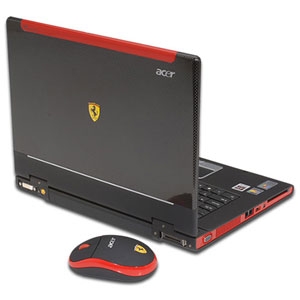
Screen Size
Choosing a screen size for your laptop depends on what you will use the laptop for. Avid gamers and those who wish to view DVD movies on their laptop will typically want a larger screen than normal computer users. Keep in mind that the larger the screen, the more you will pay. You could save quite a bit of money by going with a smaller screen, although if you're a diehard gamer this is probably not an option for you, as you will want the biggest screen you can get your hands on for a great gaming experience.Laptop Video Card
Gamers will need a decent laptop video card inside their beast. ATI and Nvidia, the two best graphics card manufacturers in the world, both offer a range of different graphics cards made specifically for laptops. For example, ATI has the Radeon Mobility range of cards, while Nvidia offers the GeForce Go series of cards for laptops. Although laptop video cards don't match the performance of desktop video cards, the latest models can still pack a punch and are good enough for high performance gaming.External video cards are also an option for you if you decide later down track that you want to upgrade your laptop's video card. Some external graphics cards can provide powerful, desktop-like performance.
Size and Weight
The size and weight of gaming laptop computers is important to buyers. If you will be travelling with your laptop and carrying it around a lot, a smaller and lighter laptop will be more convenient for you. Although, if you've chosen to go with a large screen size, then you don't really have the choice of buying a small laptop.Laptop Keyboard and Mouse
The input capabilities of your laptop is another thing to look out for. The keyboard on your gaming laptop computer should be large enough for you to use it comfortably. If the laptop keyboard area and keys are too small, you may experience stress on your fingers and wrists when typing. The touchpad on the laptop, which is the alternative to using a mouse, should also feel comfortable to you. Many people dislike touchpads, as they are harder to control than a regular mouse. This may not be a problem for you as it's always possible to plug in your own external mouse for better control.Battery Life
If you'll be on the move a lot, battery life may be an important consideration for you. Most laptops these days use lithium ion batteries. The performance of a lithium ion battery is judged by its capacity, which is measured in cells. Keep in mind that the more powerful gaming laptop computers drain their batteries faster. Keep in mind that there are some ways to extend laptop battery life.Extra Ports
If you want to connect peripheral devices to your laptop, you will need to do so through USB ports. Devices such as printers, scanners, digital cameras, keyboards, and mice all need USB ports, so ensure that the laptop you choose has enough of these ports for your needs.Conclusion
This article has looked at some of the important decisions you need to make when in the market for gaming laptop computers. Hopefully you now know a little more about what to look for in a laptop, and are better prepared to make a good purchase. You can find the best deals on gaming laptop computers here .
.
